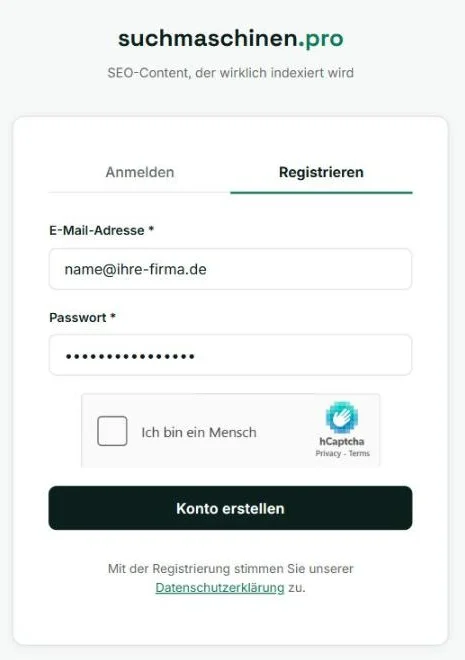
Register for free
All you need is an email address and a password. No minimum term, cancel monthly.
You land straight in your dashboard and can add your first website right away.
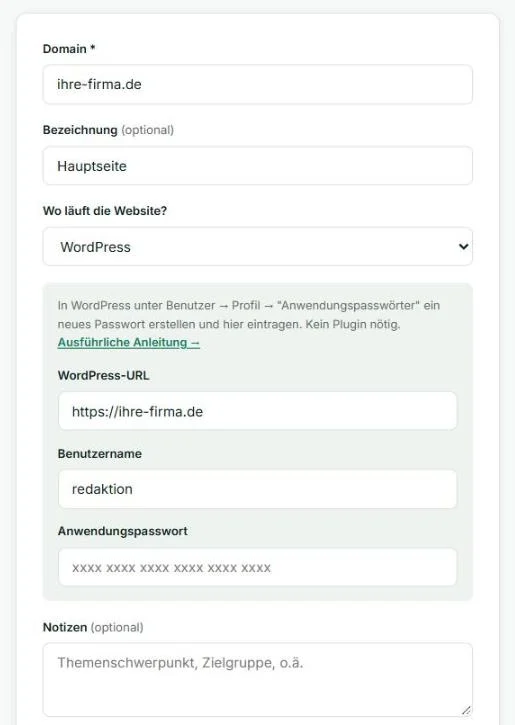
Add your website
Enter your domain and tell us where your site runs: WordPress, Vercel, Netlify, a classic web host, or "I'm not sure".
For WordPress, an application password from your WordPress profile is all that's needed — no plugin, no redirect rules. Articles appear as regular posts.
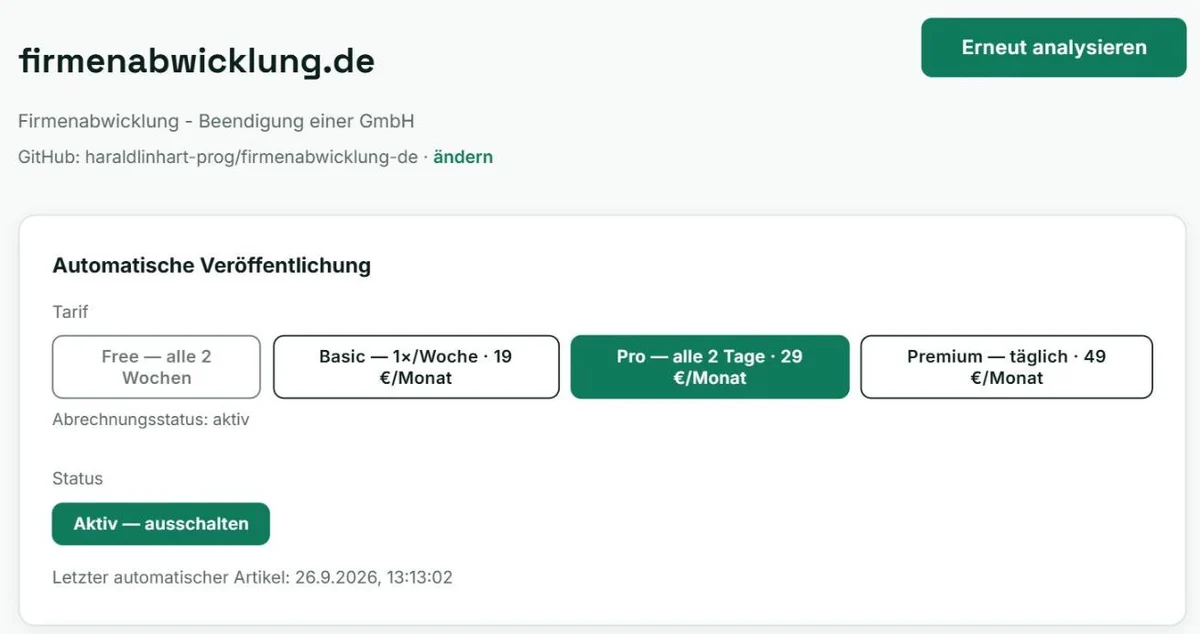
Automatic analysis and plan
We read your website and identify your offer, target audience, and topics. From this we build your content plan.
Your plan sets how often a new article is published — from every two weeks to daily. Publishing can be paused at any time with a single click.
Suggested keywords — with real numbers
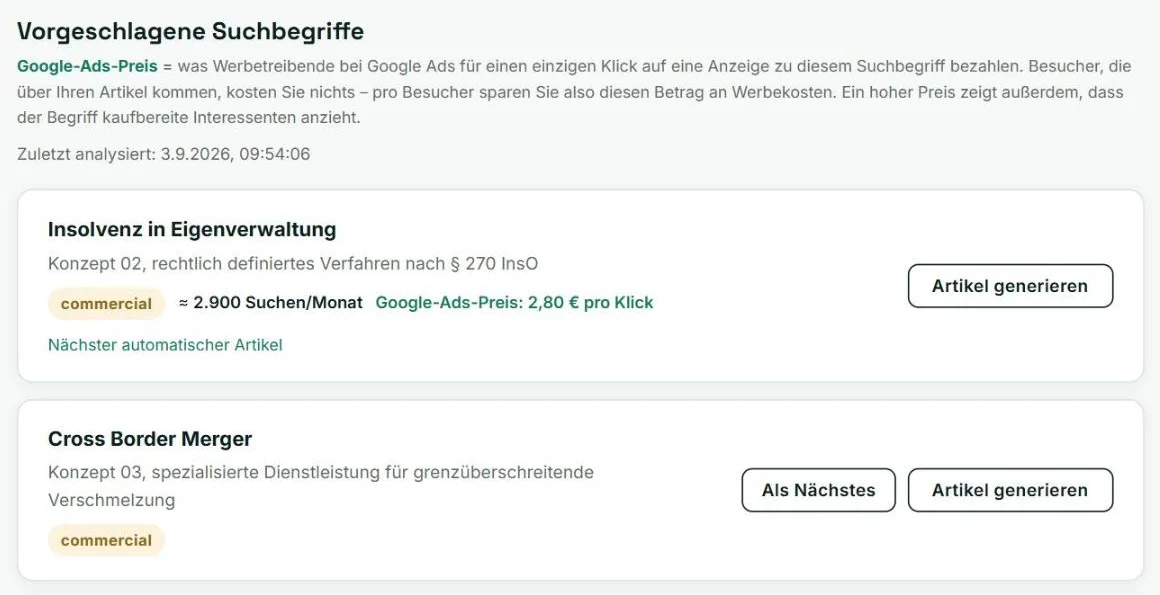
From the analysis, the AI derives dozens of relevant search terms, each with its search intent (informational, commercial, transactional).
For every keyword you see the monthly search volume (currently measured for Germany) and the Google Ads price — what advertisers pay for a single click. Keywords nobody searches for are automatically skipped when publishing.
With a single click you decide which article gets written next.
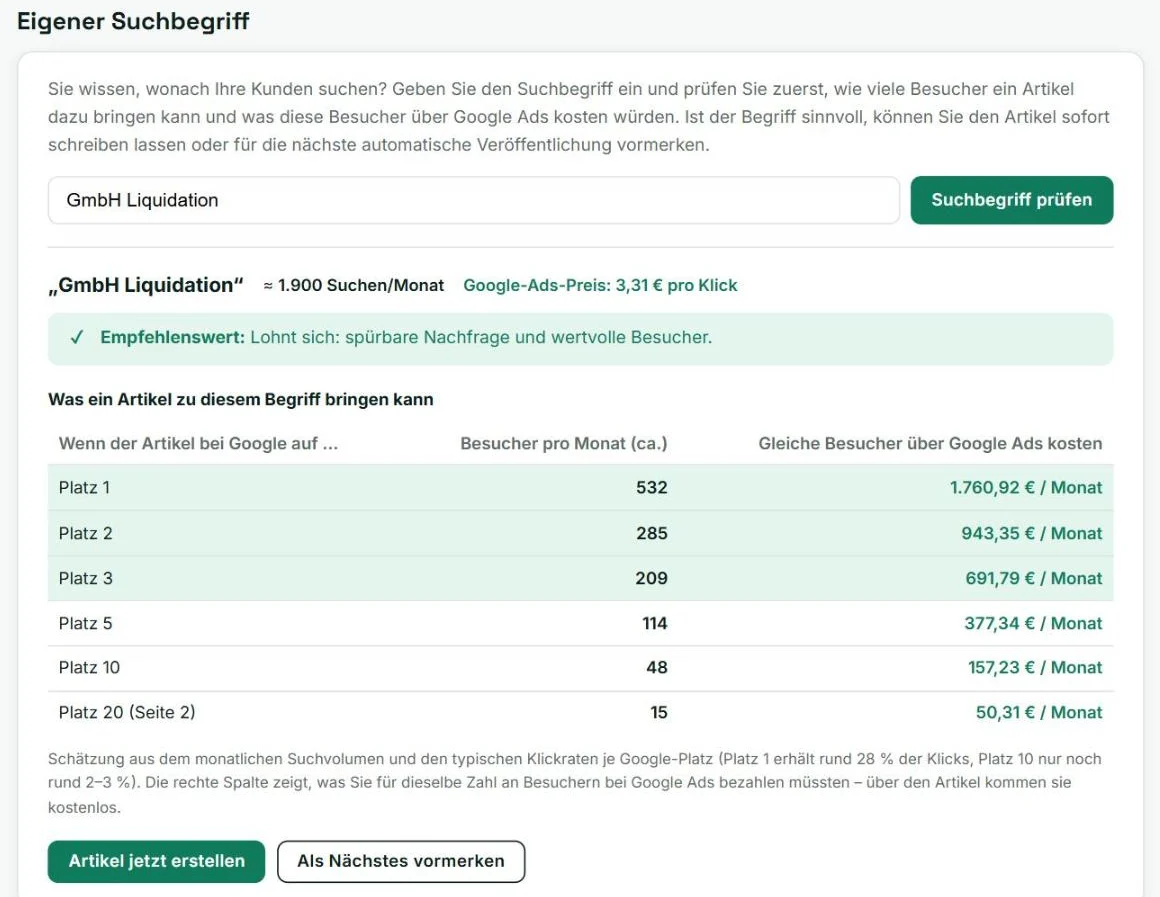
Check a keyword before the article is written
Know what your customers are searching for? Enter the term. Before any article is written you see:
• how many people search for it each month, • roughly how many visitors an article ranking at position 1, 3, 10, or 20 would bring, • what those same visitors would cost via Google Ads.
You also get a clear verdict on whether the keyword is worth pursuing, and better alternatives if not. Only then do you create the article or queue it for later.
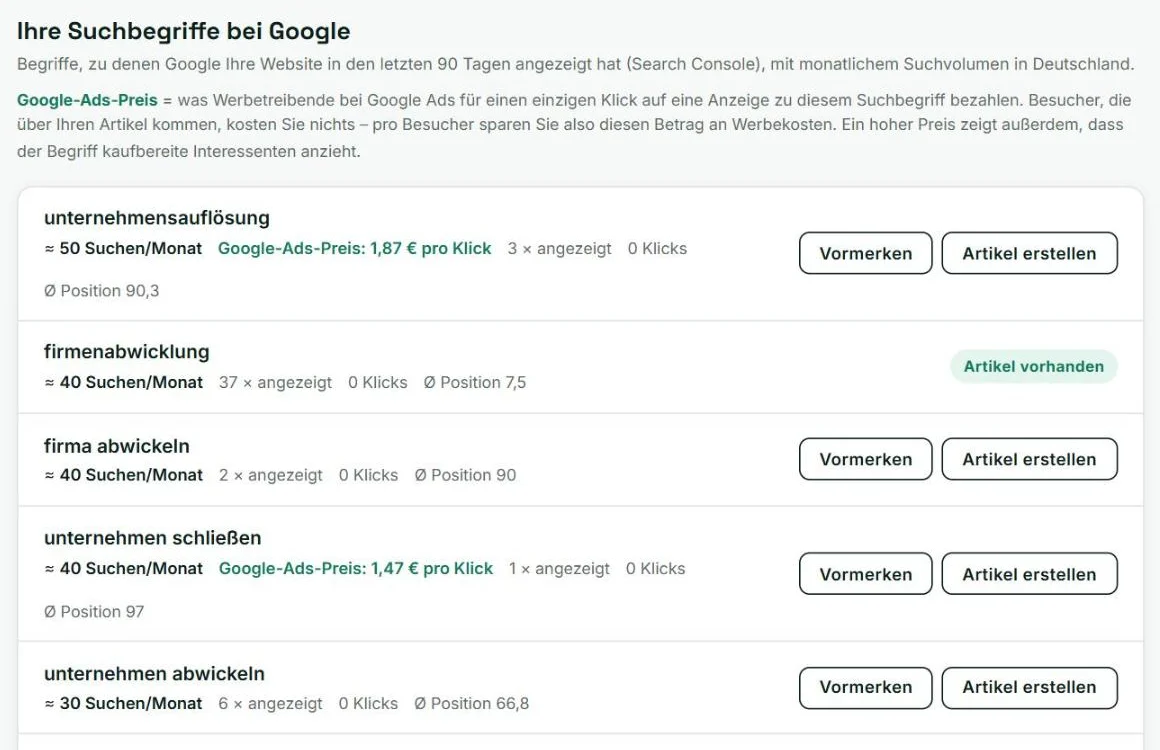
Your keywords in Google
Which search terms already bring your website into Google results? The list shows them with search volume, impressions, clicks, and average position.
Where no article exists yet, you can create one with a single click — where Google already sees you, the path to the top is shortest.
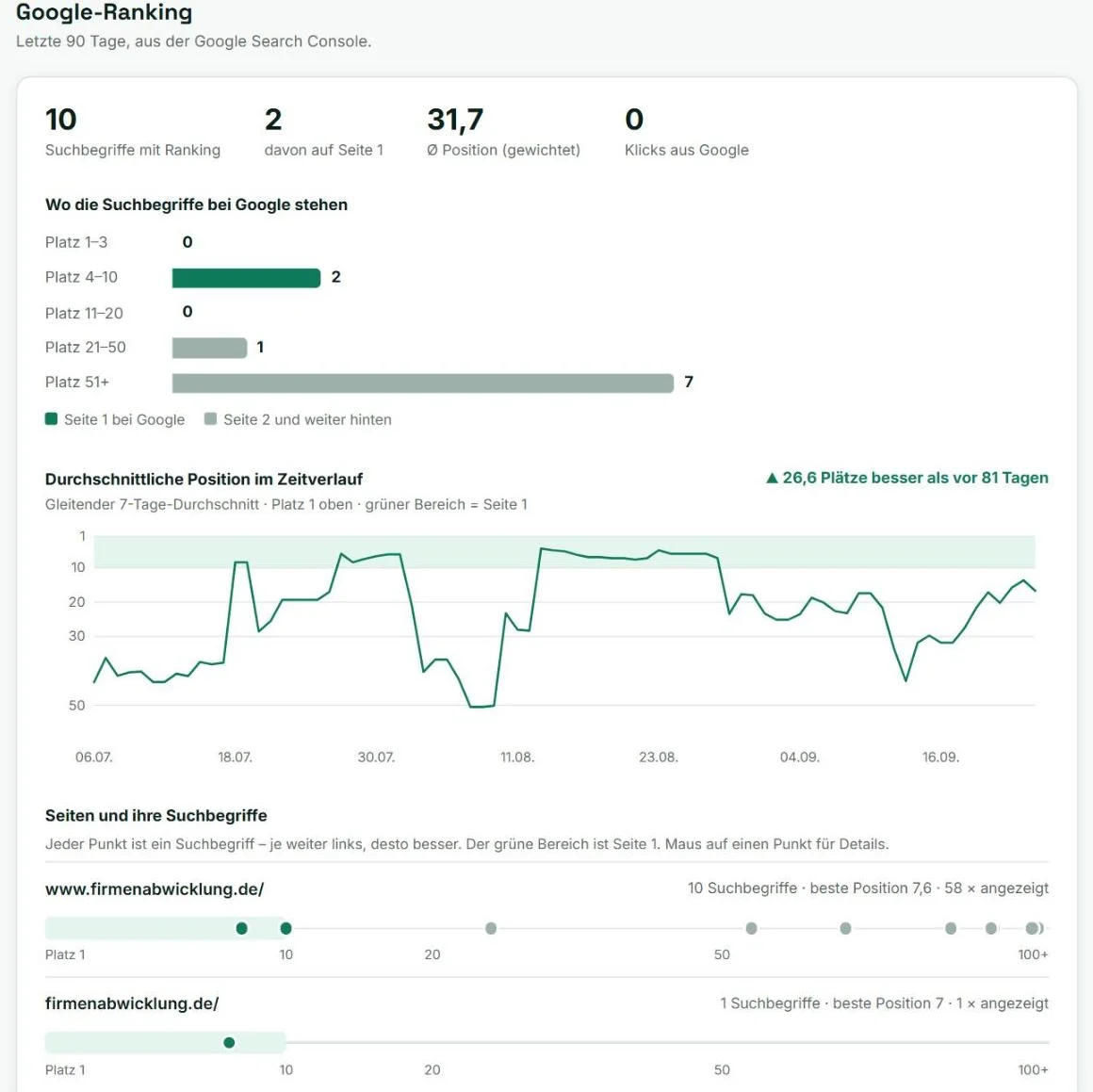
Ranking overview at a glance
How many keywords rank, how many of them on page 1, and how your average position has developed over 90 days.
For each individual page, a dot per keyword shows where it sits in Google — the further left, the better. Watch your website gain visibility week by week.
All articles at a glance
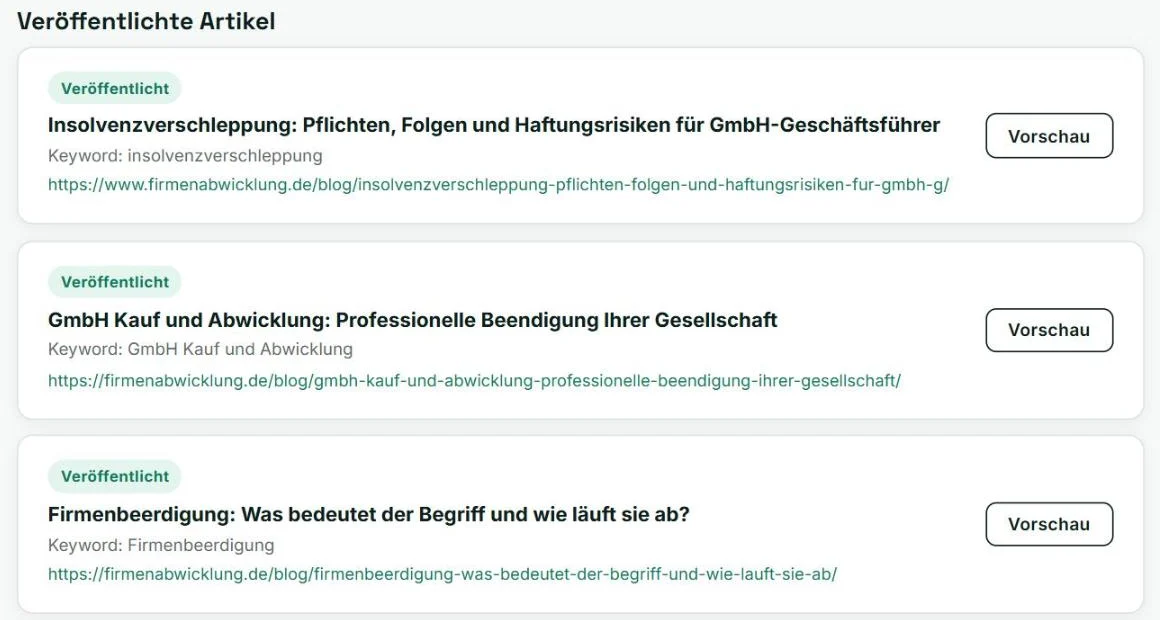
Every published article with keyword, URL, and preview. With a Search Console connection you also see whether Google has indexed the article, how often it has been shown and clicked, and at what position it ranks.
Live on your own domain
Articles appear under yourdomain.com/blog/ or as posts in your WordPress — not on a foreign subdomain. With a featured image and clean heading structure.
New articles are automatically added to your website's sitemap, which Google reads regularly.

Discoverable by visitors and Google
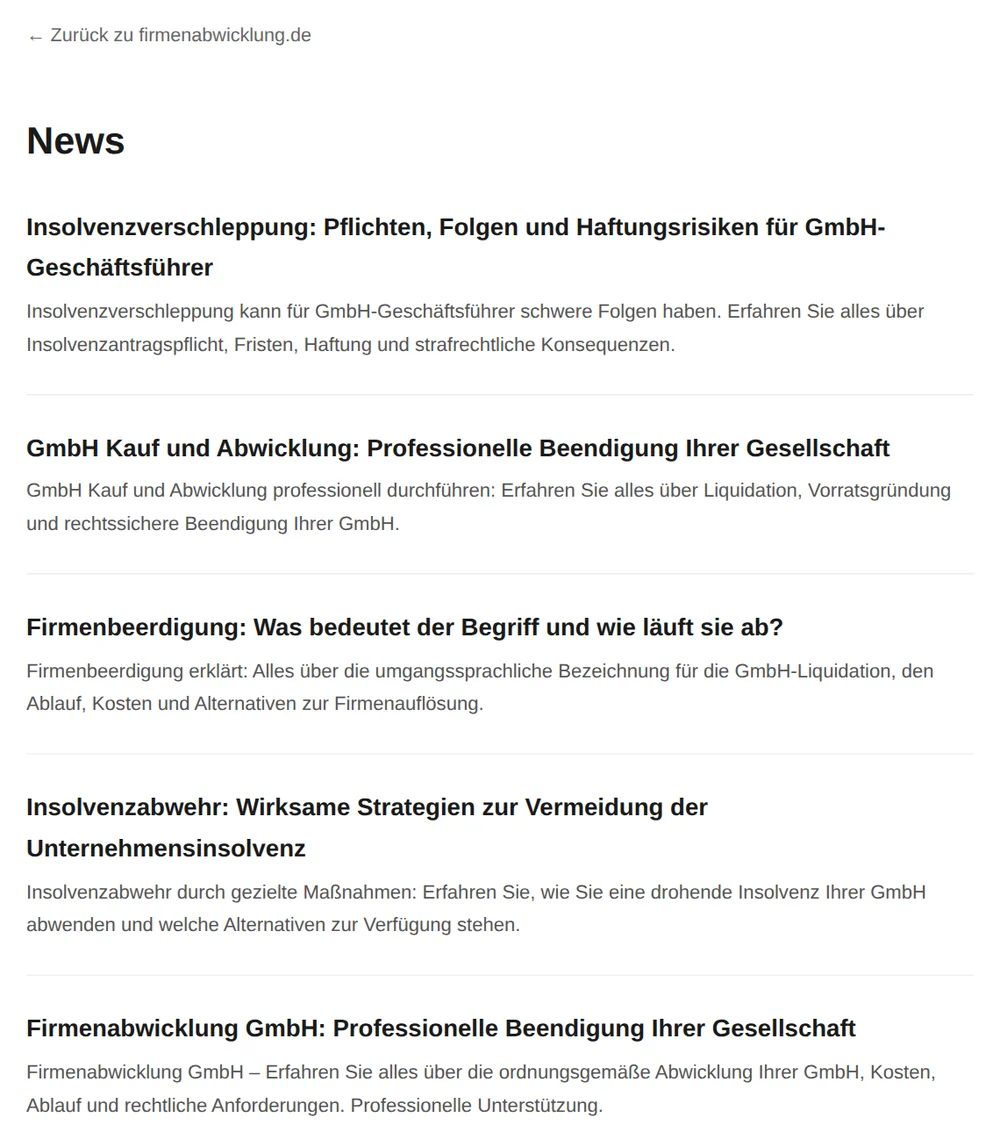
An article nobody links to won't be found. For directly connected websites we therefore create an overview page listing all articles, link it from your homepage, and register the article sitemap in robots.txt. Under each article, "More articles" leads back to the overview.
On WordPress, your existing blog and its sitemap take care of this.